
Missed Call Text Back Automation That Books Jobs
Missed call text back automation turns unanswered calls into qualified, confirmed appointments without filling your calendar with bad leads overnight.
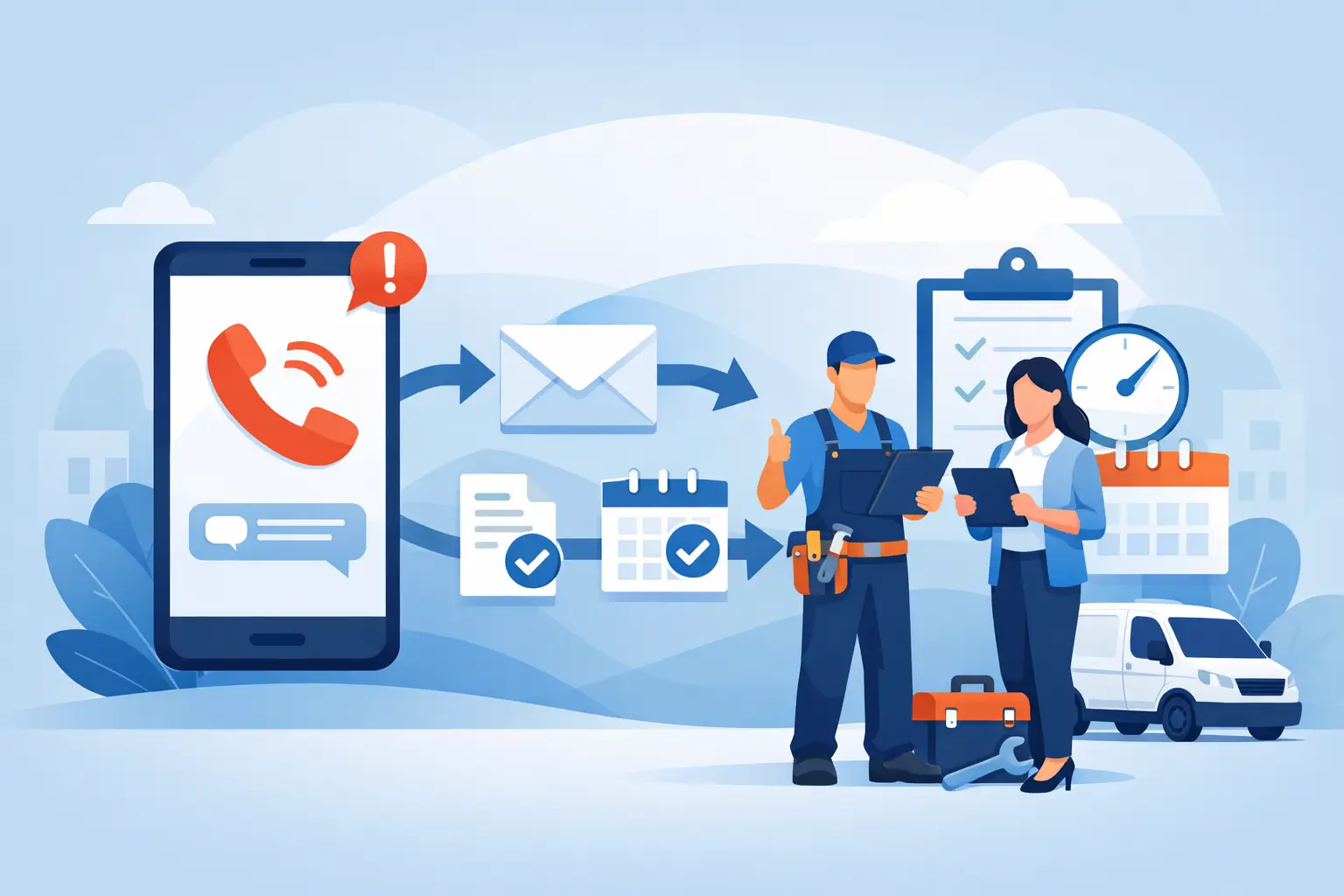
A homeowner with water spreading across a finished basement does not leave a detailed voicemail and wait patiently for a callback. They call the next restoration company. That is the operational case for missed call text back automation: respond while the prospect is still looking for help, then move the right caller toward a real appointment without creating a scheduling mess.
For service businesses, a text sent after a missed call is not the finish line. It is the first step in an inbound revenue workflow. The system has to identify the reason for the call, apply your fit rules, check live availability, and confirm the appointment only when the job is worth putting on the calendar.
Why a Missed Call Is More Than a Phone Problem
A missed call creates two risks at once. First, a qualified prospect may hire someone else before your office reopens or your dispatcher clears the voicemail queue. Second, an unqualified inquiry may consume staff time, take a prime appointment window, or send a truck to a job your team would never have accepted.
A basic auto-reply solves only the first inch of the problem. “Sorry we missed you. How can we help?” may start a conversation, but it does not determine whether the caller is inside your service area, whether the work matches your trade, whether an emergency needs escalation, or whether the requested time is genuinely available.
That distinction matters most in high-ticket, time-sensitive work. A water restoration company may need to know the property type, location, source of loss, and whether mitigation is needed now. A home services company may need to verify zip code, job type, asset type, and decision-maker status. Those answers should shape the next action, not sit unread in an inbox until morning.
What Missed Call Text Back Automation Should Actually Do
Effective missed call text back automation is an operating sequence, not a one-message campaign. When a call is missed, the workflow should immediately acknowledge it by text and give the caller an easy way to state what they need.
From there, the conversation should collect only the information required to make a routing decision. Too many questions upfront will cause abandonment. Too few questions force your office to repeat the intake later. The right balance depends on the trade, job value, service territory, and how tightly your schedule is managed.
A practical workflow looks like this:
- Missed call detected: The caller receives a prompt text within moments, not an hour later.
- Need identified: The text agent asks the business-specific questions that determine fit.
- Lead qualified or routed: Qualified callers proceed. Emergencies, edge cases, and high-value exceptions can alert an on-call employee. Out-of-area or unsupported requests are handled according to your rules.
- Availability checked: The system reads the actual calendar before offering times.
- Slot held and booked: Once the caller selects a time, the appointment is written to the calendar and protected from double booking.
- Confirmation delivered: The customer receives the appointment details, while your team receives the lead record, answers, call history, and any escalation notes.
The customer experiences a fast response. Your office receives a controlled outcome: a booked appointment, a routed exception, or a screened-out lead. An unanswered voicemail becomes neither a mystery nor a manual cleanup project.
The Difference Between a Text Reply and a Booked Appointment
Many platforms can send a text after a missed call. That feature is useful, but it can create a false sense of coverage when the handoff ends with, “Someone will contact you soon.” The customer is still waiting, and your team still owns every downstream task.
A revenue-focused system continues through the appointment decision. It can ask, “Is this for a residential or commercial property?” then verify the location, collect the relevant job details, and offer the next truly open time. If Tuesday at 10:00 a.m. is selected, that slot should be held, written to the calendar, and confirmed. If the calendar changes before the customer responds, the system should not promise a time it can no longer deliver.
Schedule accuracy is not a technical detail. It protects field capacity. Dispatch teams already deal with crew availability, drive time, job duration, cancellations, and urgent add-ons. An automation that books against stale availability creates the same problem as an untrained scheduler: avoidable calls, frustrated customers, and internal rework.
Build Qualification Rules Before You Turn It On
Automation reflects the decisions you give it. If the intake rules are vague, the system will produce vague outcomes. Before deploying an automated missed-call workflow, document what makes a lead worth booking.
Start with the non-negotiables. Define your service area, supported job types, minimum job conditions, commercial versus residential policy, emergency escalation path, and the information a field team needs before arrival. Then decide which cases deserve human review rather than an automatic yes or no.
For example, a restoration company might automatically prioritize active water loss inside its normal territory, collect insurance and property details, and alert an on-call manager when the caller reports a large commercial loss. It might decline unrelated cleaning requests or inquiries outside the service area without sending a crew into an unprofitable drive.
There is a trade-off here. Aggressive qualification can improve crew utilization and reduce wasted truck rolls, but rules that are too narrow can reject legitimate revenue. The right answer depends on your capacity and margin. During a full schedule, tighter rules may be appropriate. During a slow period, your team may choose to route more borderline opportunities for review.
Keep the Conversation Short, Clear, and Human
The best automated text conversations do not try to sound clever. They get the caller moving. The first message should identify the business, acknowledge the missed call, and ask a direct question.
For an urgent trade, that might be: “We missed your call. Are you dealing with an active water, fire, or mold issue? Reply with your address and a short description, and we’ll check the fastest available option.” For a scheduled service business, the message may ask for the type of service and zip code before presenting times.
Each question should earn its place. Asking for a full narrative, photos, insurance information, and preferred appointment time in one long message can overwhelm a stressed customer. Gather what is needed to decide the next step, then continue after the appointment is protected.
The system also needs a clear exit for callers who do not respond. A single follow-up can recover people who were busy, driving, or talking to another family member. Repeated messages can feel intrusive and may create compliance concerns. Set a reasonable follow-up policy based on the urgency and sales cycle of your service.
Measure Outcomes Your Operations Team Can Act On
Do not judge missed call text back automation by message volume alone. A high reply rate is not valuable if the conversations produce poor-fit appointments or force staff to correct calendar errors.
Track the missed calls received, response time, text conversation rate, qualification rate, appointments booked, booking completion rate, no-shows, cancellations, and jobs that convert after the appointment. Review where leads are being screened out. If many callers fail service-area checks, your marketing may be attracting the wrong geography. If qualified callers abandon when offered times, your availability or messaging may need work.
Attribution matters as well. Your team should be able to see that a job began as a missed call, what the prospect said, which rules were applied, and when the appointment was confirmed. This is how an owner separates an automation that looks busy from one that captures revenue.
PsPro AI approaches this as an always-on digital front desk: immediate response, trade-specific qualification, live calendar control, and a documented record for the team that takes over. The point is not to replace judgment. It is to apply your judgment consistently when your staff cannot answer the phone.
Treat After-Hours Coverage as a Revenue Decision
The value of automation is often most visible at 9:00 p.m., when the office is closed and a qualified caller needs help now. But the same workflow can protect lunch breaks, overloaded dispatch periods, weekends, and the minutes between one live call and the next.
Start with the calls you are already missing. Listen to recordings, read voicemails, and identify which questions your staff repeats before booking. Those patterns are the foundation of a useful workflow. Then test the path from missed call to confirmed appointment yourself, including cancellations, rescheduling, unavailable slots, and out-of-area requests.
A fast text matters. A qualified opportunity matters more. The system earns its place when tomorrow morning begins with confirmed appointments and clear exceptions, not a voicemail backlog full of uncertain leads.